
Tagcetra
Your NFC tags. More possibilities.
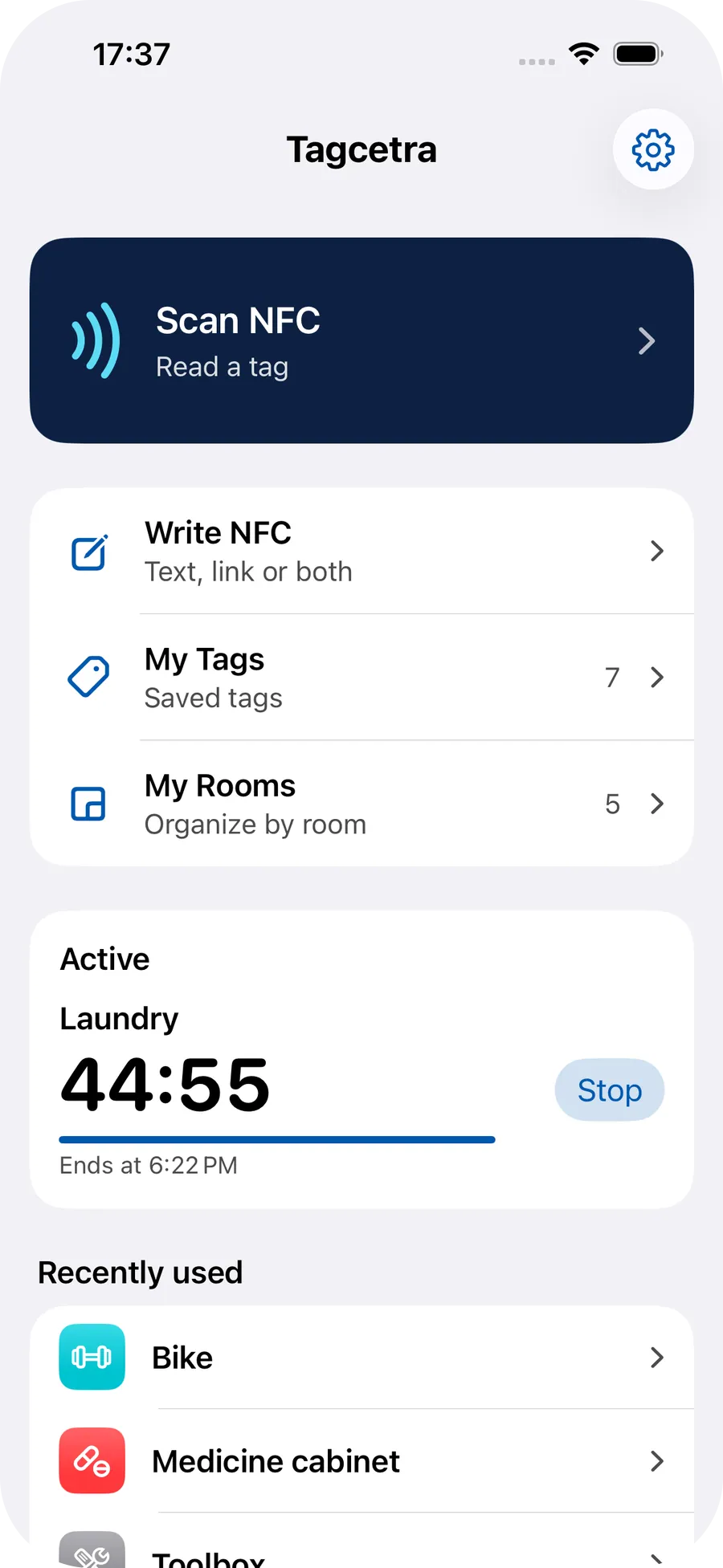
Scan, write and organize NFC tags. Connect them to timers, reminders and custom routines. Simple and private on your iPhone.
Not yet available on the App Store. The release is being prepared, there is no date.
- Development stage: Native iPhone app in development
- No account
- No cloud of our own
- No tracking
- Free to keep using
How it works
From the NFC tag to the action
Tag
- NFC tag
Read
- Read
- Inspect a device
Write
- Check capacity
- Local backup
- Confirmation
- Write
- Verification
Library
- My tags
- Rooms
- Photos and files, local
Actions
- Timers
- Reminders
- Checklists
- Counters
- Maintenance
- Scenes
- Apple Shortcuts
The product is in development: all parts are shown with a dashed outline.
- In development
Tagcetra is a native iPhone app with which you read, write and organize your own NFC tags and connect them to useful actions. The app works locally: no user account, no cloud of its own for your saved tag configurations, no tracking and no ads. The most important NFC functions are free, Pro extends the number and complexity of your configurations.
Tagcetra is in development, and the release on the App Store is being prepared. There is no date.
- Local first
- No account
- iOS 18 or later
- Platform
- iPhone app
- Processing
- Read NFC, write it safely and organize it locally
- Account
- No account
- App Store status
- In development
Features
Read NFC
Show NDEF content such as text and links, copy it and open it deliberately.
Write safely
Check capacity, back up existing content, confirm and verify the result.
My tags and rooms
Save locally, name, assign to rooms, with a symbol and color.
Timers and actions
Timers, reminders, checklists, counters, maintenance tasks and notes.
Scenes
Combine several actions and run them together deliberately.
Photos and files
Connect photos and PDFs locally to a tag and view them with Quick Look.
Apple Shortcuts
Actions for the Shortcuts app, you set up personal automations yourself.
Made for everyday life
Five examples of how a tag can be used. You set everything up yourself, nothing starts unasked.
Washing machine
A sticker on the machine, a timer in the tag.
- Attach the NFC sticker
- Name the tag in Tagcetra
- Assign a 90 minute timer
- Start the timer deliberately when scanning
Workshop
Maintenance information right at the tool.
- Attach the NFC tag to a tool or machine
- Store maintenance information
- Assign a checklist or maintenance action
Plants
Record care where it happens.
- Attach the NFC sticker to the plant pot
- Save care information
- Document watering with an action
Office
You set up personal automations yourself in Apple Shortcuts. Tagcetra does not register them secretly or on its own.
- Attach the NFC tag to the desk
- Set up your own automation for suitable system actions in Shortcuts
Manual
A link on the chip instead of a manual in a drawer.
- Write a link to the NFC tag
- Scan the tag again later
- Open the link deliberately
Tagcetra in action
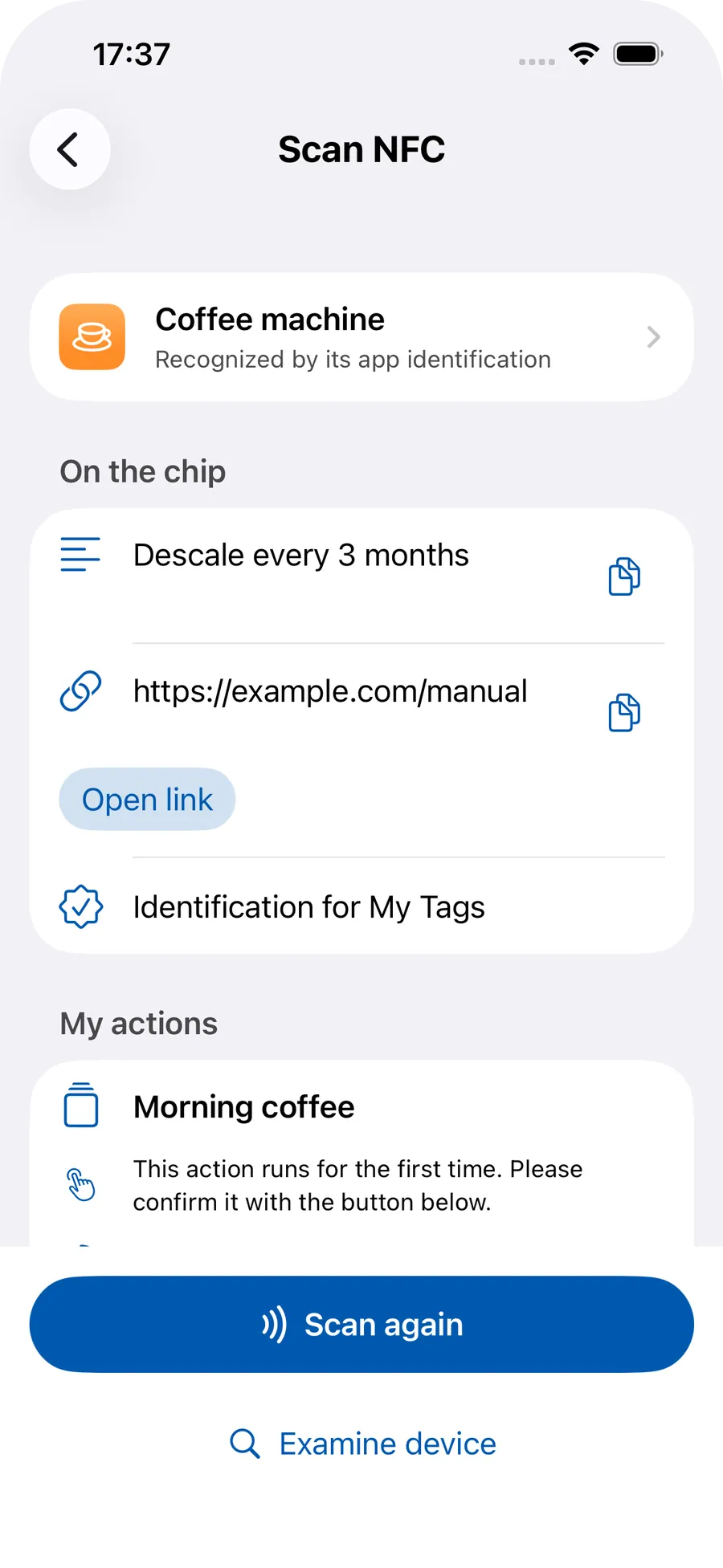
Real app screenshots from the current development build.
Written and verified 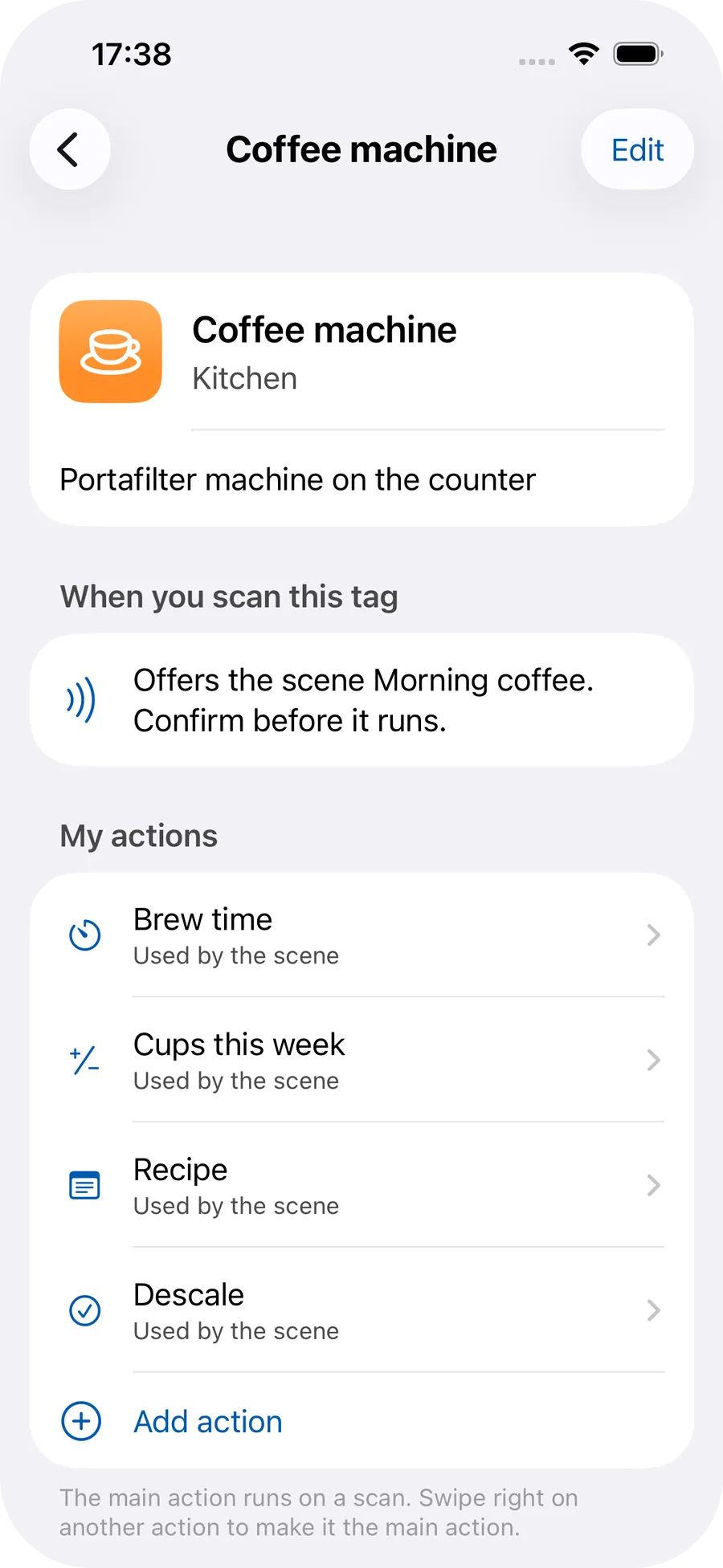
A tag with actions 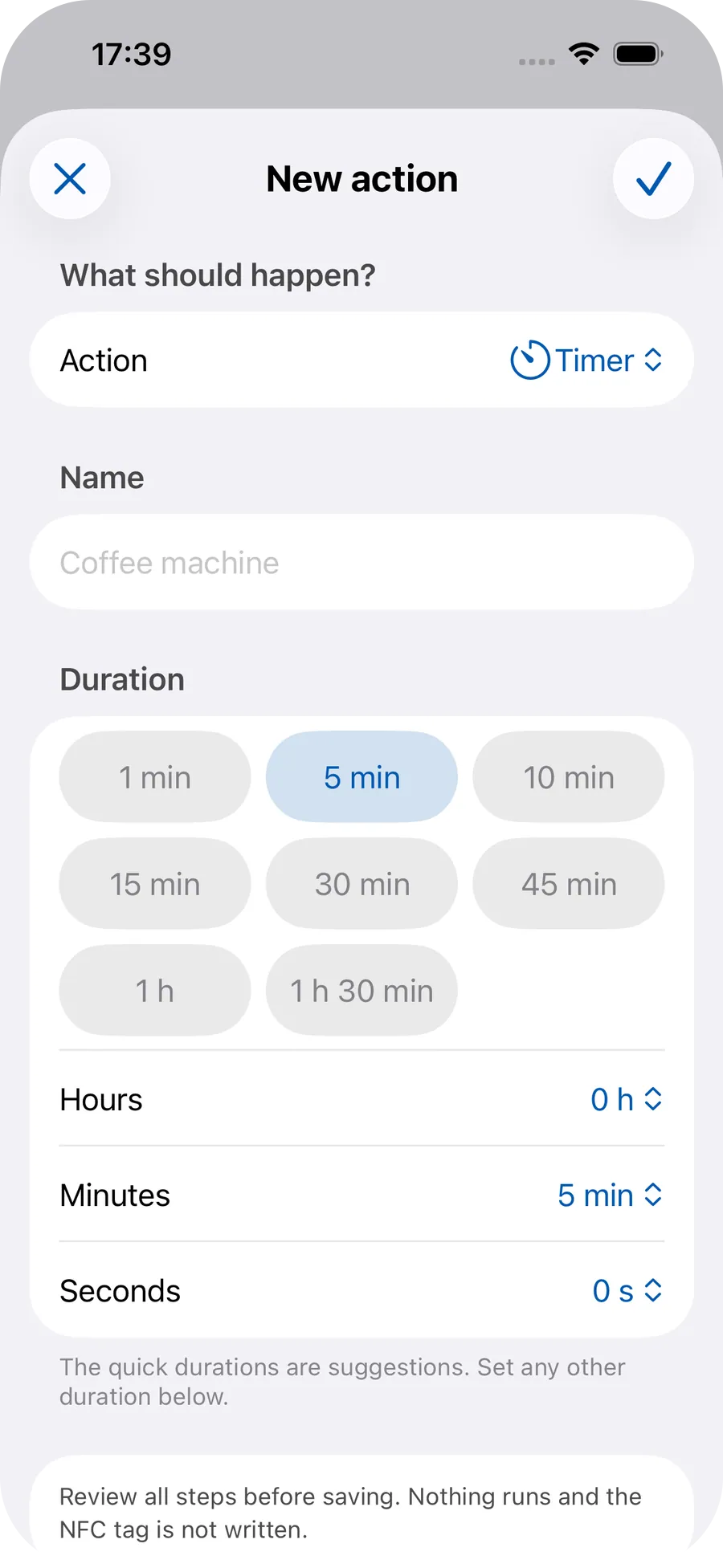
Timer with quick durations 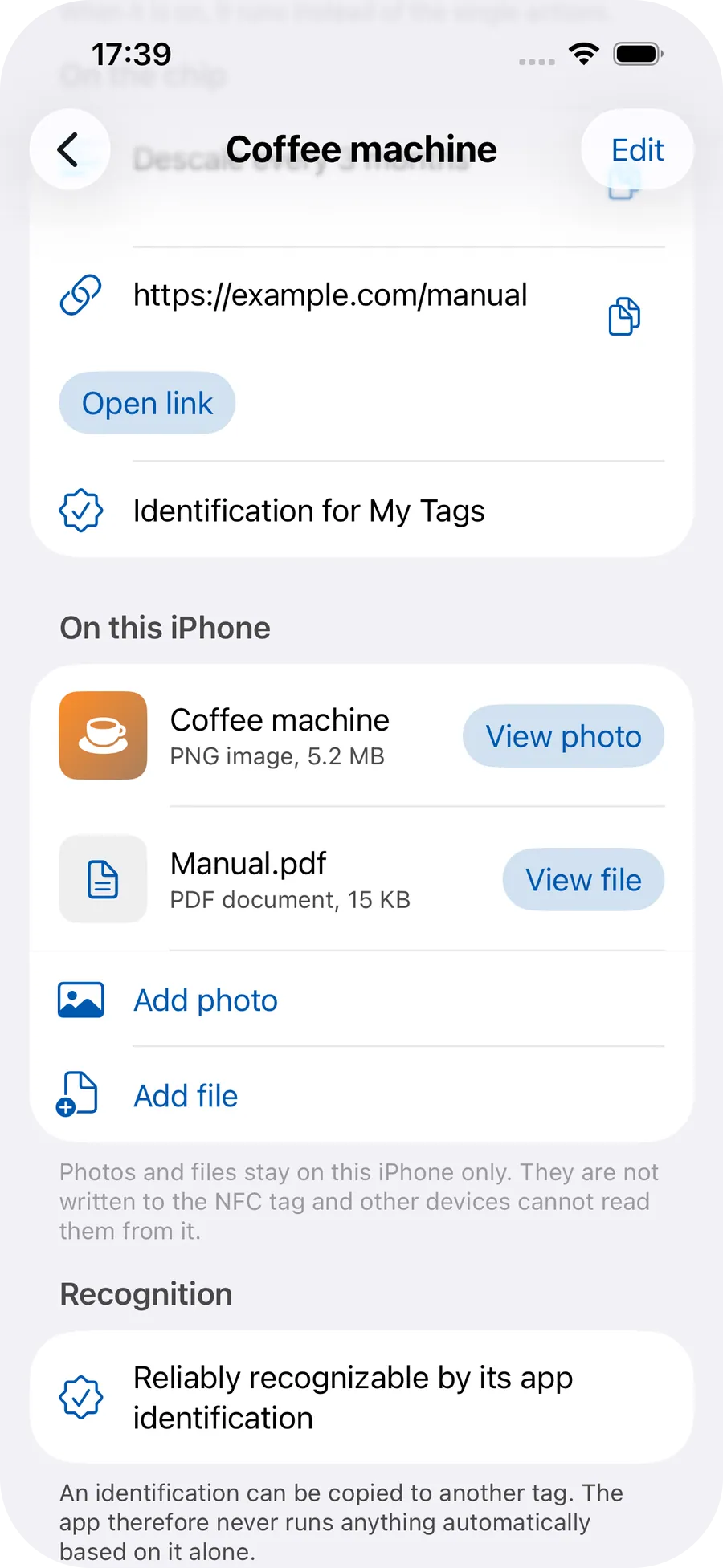
Photos and files, local to the tag 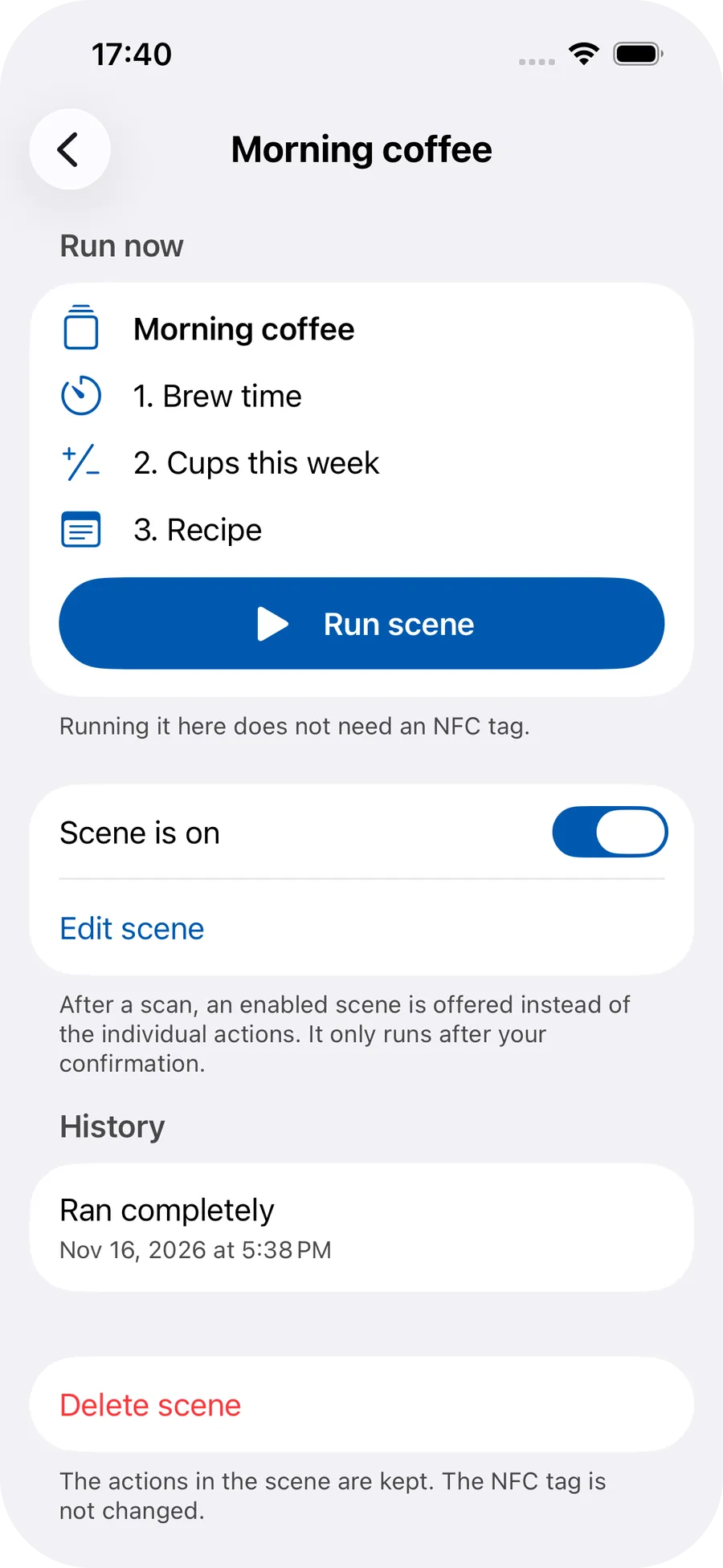
A scene of several actions 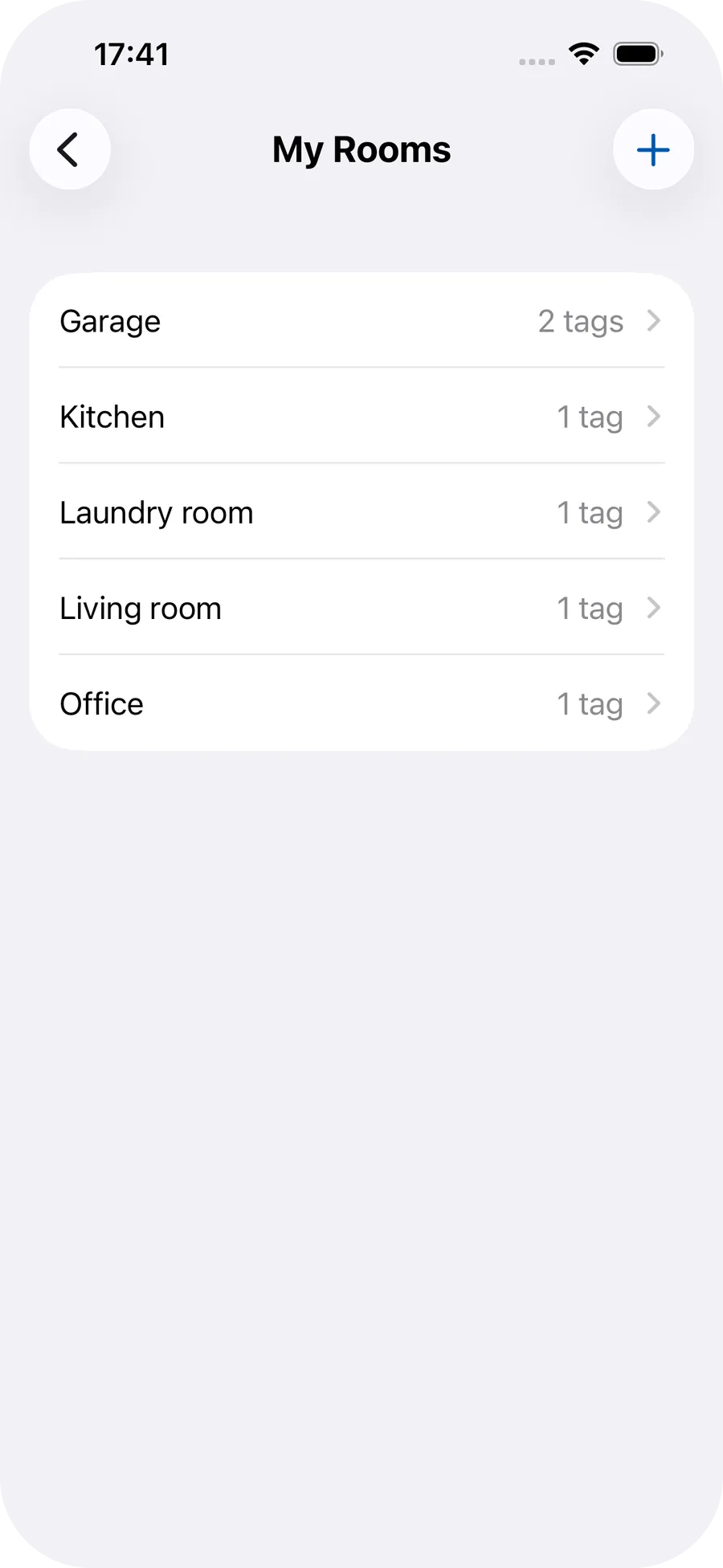
Rooms 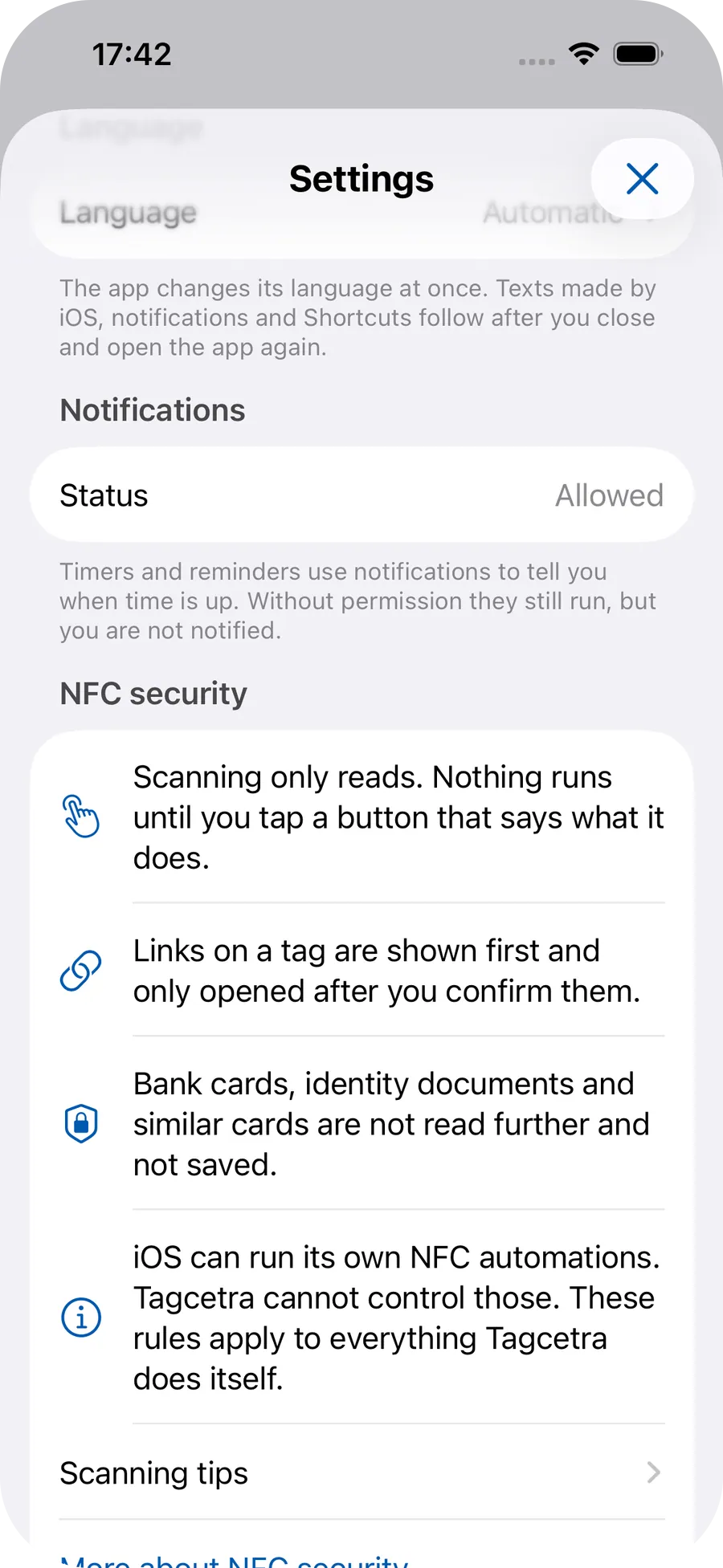
Safety when scanning
From a tag to an action
An NFC tag is a small chip that can hold information. With Tagcetra you read supported content, write text and links, name your tags and assign them to rooms. You start actions such as timers, reminders, checklists, counters and maintenance tasks deliberately after a scan.
Which chips can be used depends on the chip, iOS and the iPhone. Universal compatibility with all NFC chips is not promised.
02
Read and write NFC safely
Tagcetra shows supported NDEF content such as text, URLs and multiple records. You can copy content, open links deliberately and view technical information.
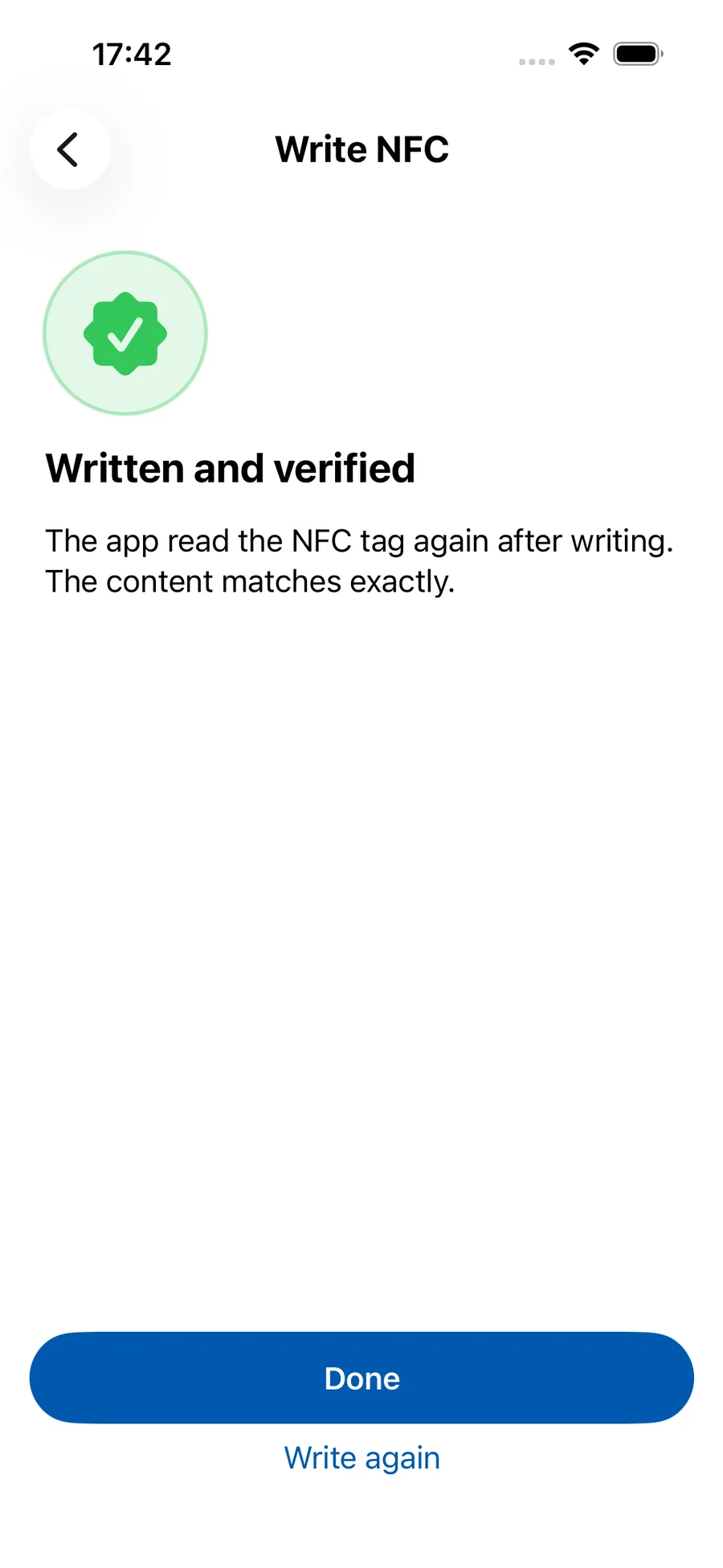
When writing, the app checks the chip capacity, backs up existing content before replacing it, asks for your confirmation and verifies the result by reading it back. You can write text, a link or both together. There are no silent writes and no automatic opening of links.
03
Organize tags
You save tags locally, give them names, assign them to rooms and choose symbols and colors. Descriptions help you find tags again later. You can edit existing tags at any time.
The local copy of a tag and the data on the physical chip are two different things.
04
Actions and timers
For a tag you can create timers, reminders, checklists, counters, maintenance tasks and notes. For timers you choose a quick duration or set your own and save the timer action on the tag. After a scan you start it deliberately. Notifications are local, as far as iOS allows them.
Actions do not start by themselves just because a tag was scanned.
05
Scenes and automations
In a scene you combine several actions and run them together deliberately. You can configure scenes and edit them later. Free has one scene with at most 2 steps, Pro has unlimited combined scenes.
Tagcetra also provides actions for Apple Shortcuts. You set up personal NFC automations yourself in Shortcuts, Tagcetra does not register them secretly or on its own. The conditions of iOS apply to Shortcuts.
06
Connect photos and files locally
You can assign photos through Apple's photo picker and PDFs or other documents through the file picker to a saved tag, view them with Quick Look and remove attachments again.
The files stay local on your iPhone. They are not written to the chip, because ordinary NFC stickers are far too small for that. An existing link can be written to the chip instead.
07
State of development and limits
Tagcetra is in development and not yet available on the App Store. The release is being prepared, there is no date. There is no download URL and no TestFlight link.
An NFC tag is not automatically secure proof of identity. Tagcetra is not an app for unlocking arbitrary security systems and currently offers no permanent write protection for chips. There is no guarantee of universal NFC compatibility.
Privacy
Privacy and safety
Tagcetra stores managed tag data locally on the iPhone, including photos and documents you connect to a tag. There is no user account of its own, no cloud of our own for your tag data, no tracking and no ads in the app.
That does not mean no connection ever happens: StoreKit uses Apple services for purchases, and an external link you deliberately open can trigger a network connection. The app treats unknown chips with care and examines them only passively. These statements will be checked against the final code before release.
More technical details
Accessibility
Tagcetra considers VoiceOver, Dynamic Type, light and dark appearance and other accessibility features. Which measures are already implemented and tested is stated honestly on the accessibility page. Not all hardware tests are complete.
Free and Pro
The most important NFC functions are free. Pro extends the number and complexity of your configurations: more tags, more routines, more possibilities.
Free
€0
A full, permanently usable basis without registration.
To get started
- Unlimited NFC reading
- Unlimited safe NFC writing
- Up to 5 saved tags
- Up to 2 tags with active automations
- One scene with at most 2 steps, it counts as one of the 2 automations
- One single action per automation tag, except in the free scene
- Run set-up actions without limit, no daily scan limit
- Unlimited rooms
- Timers and basic actions
- Local data management and all safety features
- No registration
Tagcetra Pro
More tags. More routines. More possibilities.
For more tags and more complex uses
- Unlimited saved tags
- Unlimited tags with active automations
- Several actions per tag
- Unlimited combined scenes
- More extensive routines within technical limits
- Safety features and privacy stay the same as in Free
Planned launch prices in Germany. Prices and availability can differ by country. The prices shown in the App Store apply later. Tagcetra is not on the App Store yet, purchasing is not possible at the moment. Purchases will only run through Apple later.
Free and Pro compared
| Feature | Free | Pro |
|---|---|---|
| Saved tags | Up to 5 | Unlimited |
| Tags with active automations | Up to 2 | Unlimited |
| Actions per tag | One | Several |
| Scenes | One with at most 2 steps | Unlimited, combined |
| Read NFC | Unlimited | Unlimited |
| Write NFC safely | Unlimited | Unlimited |
| Rooms | Unlimited | Unlimited |
| Run set-up actions | Unlimited | Unlimited |
| Safety features | Included | Included |
| Account | Not needed | Not needed |
Why Tagcetra Pro?
No artificial limits on actions
Set-up actions run without limit in both Free and Pro.
More tags for home, office and workshop
Free saves up to 5 tags, Pro unlimited tags.
Several actions per tag
A tag can trigger more than one task, which you start deliberately.
More complex routines and scenes
Combine actions into scenes without the limit of the free scene.
Set up once, use again and again
One configuration carries through everyday life.
Lifetime for those who want to pay once
One purchase, no subscription.
Local, without an extra account
Managing tags needs no Tagcetra account and no additional server connection.
Safety stays free
Pro brings neither faster scanning nor better NFC security, it only extends your configurations.
FAQ
A native iPhone app with which you read, write and organize your own NFC tags and connect them to actions such as timers or checklists.
That depends on the chip, iOS and the iPhone. Tagcetra reads and writes supported NDEF content. Universal compatibility with all NFC chips is not promised.
Yes, on suitable chips. The app checks the capacity, backs up existing content, asks for your confirmation and verifies the result.
Yes, text, a link or both together, as far as the chip capacity allows.
Yes. You choose a quick or custom duration and start the timer deliberately after a scan.
No. Normal Tagcetra scans do not run anything unasked and do not open links automatically. You start actions deliberately.
Yes, Tagcetra provides actions. You set up personal NFC automations yourself in Shortcuts.
No. They stay local on the iPhone. An existing link can be written to the chip instead.
No. Tagcetra has no user account and no cloud of its own for your tag data.
Tag management runs locally on the iPhone. Purchases through Apple and opening external links need a connection.
Unlimited NFC reading and safe writing, up to 5 saved tags, up to 2 tags with automations, one free scene, unlimited rooms, and timers and basic actions. Set-up actions run without limit.
Unlimited saved tags, unlimited tags with automations, several actions per tag and unlimited combined scenes.
Yes, Lifetime is planned as a one-time purchase at €16.99, next to a monthly and a yearly subscription. These are planned prices, the App Store applies later.
Tagcetra is in development and the release is being prepared. There is no date.


