
Apps· iPhone app
Mixavio
Your music. Your videos. Your servers.
Private media player for your own audio and video files and media servers you configure yourself.
- Released: November 2026
- Development stage: Publicly available
- Platform
- iPhone app
- Processing
- Local library and direct connections to your own media servers
- Account
- No account
- Price
- FreeMixavio Pro: $1.99 / month, $9.99 / year, $24.99 one time
Mixavio plays music and videos from your own library and from media servers you set up yourself: Navidrome and OpenSubsonic, Jellyfin and WebDAV. There is no Mixavio account and no backend of its own for your media. Your media stays with you, on your iPhone and on your servers.
- Local first
- Privacy first
- iPhone
Features
Your own library
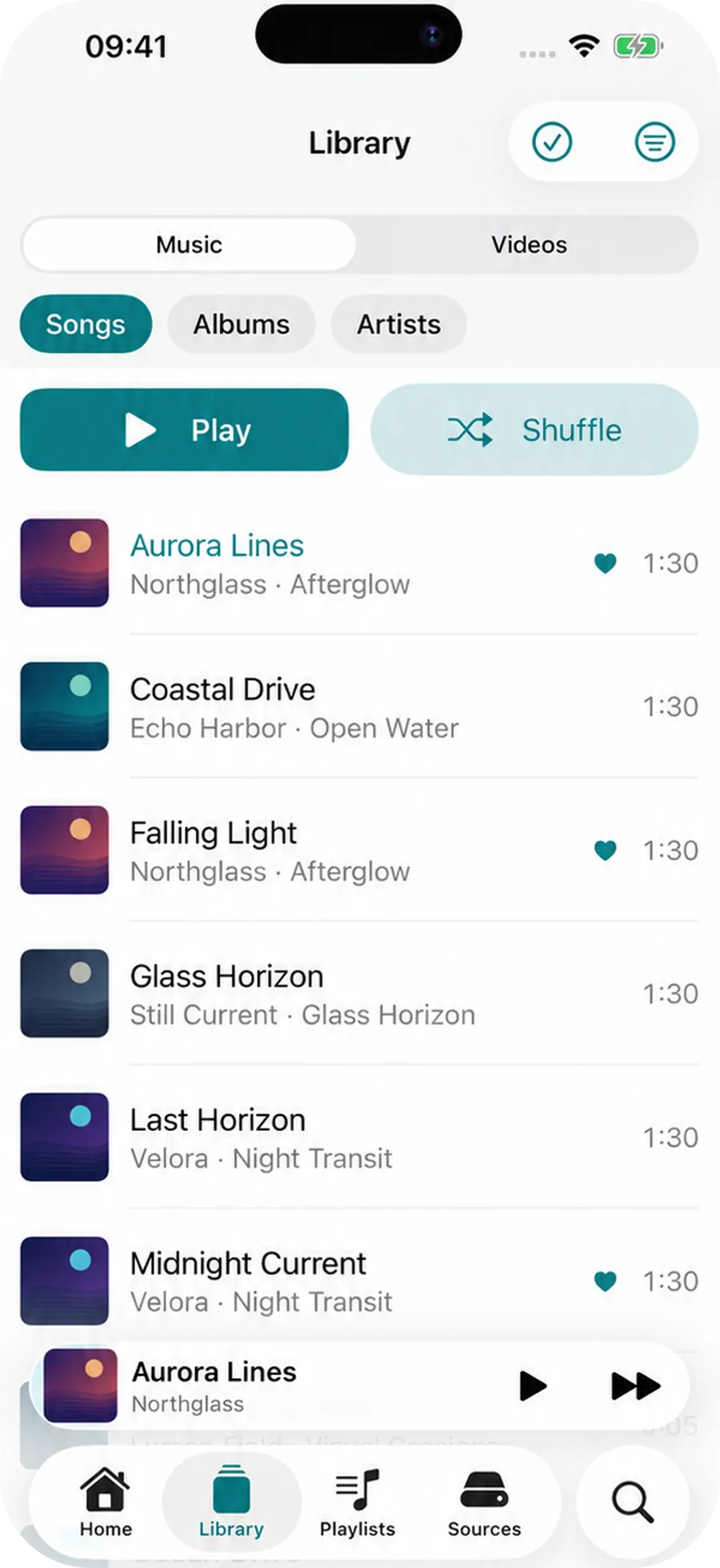
Audio and video from files and folders, with search, favorites and Favorite Songs.
Your servers
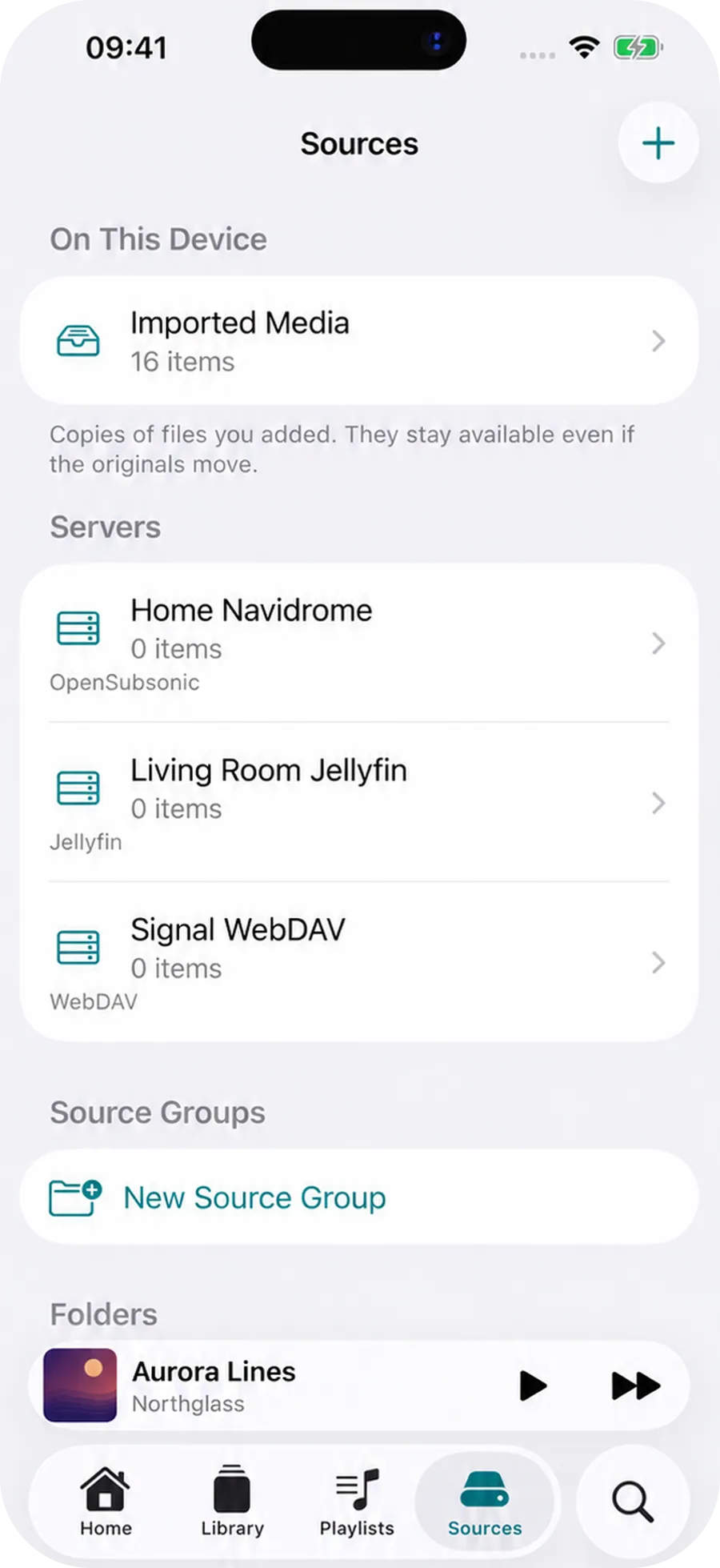
Navidrome, OpenSubsonic, Jellyfin and WebDAV, connected directly by you.
Offline downloads
Download tracks locally and remove them individually.
Playlists with your own artwork
Local playlists with a description and cover.
Audio version from video
Suitable videos become M4A with AAC, created locally.
Equalizer and sound
10 bands, presets, preamp, balance and mono for supported media.
No account
No Mixavio account, no media backend of its own, no advertising.
Mixavio in action
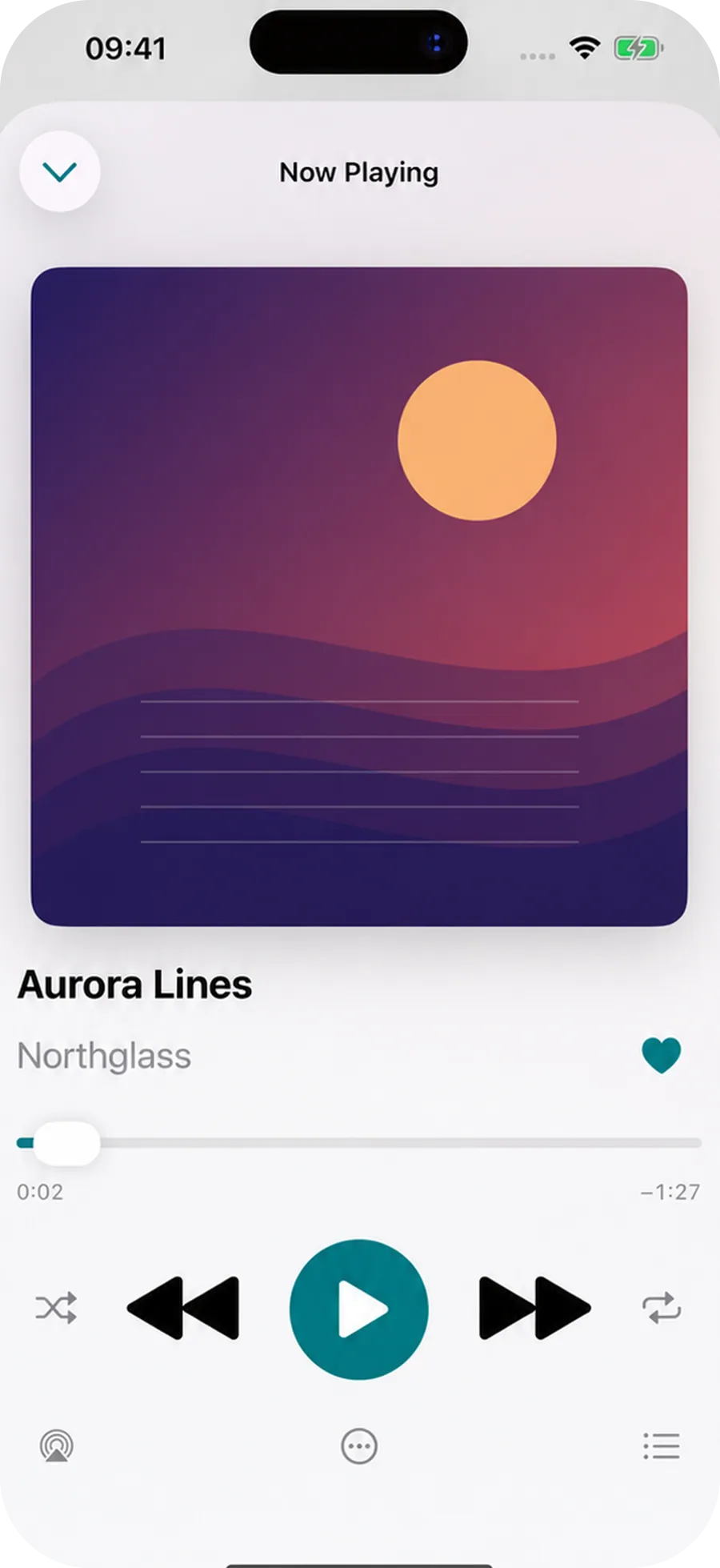
Real screenshots from the app.
Your own sources 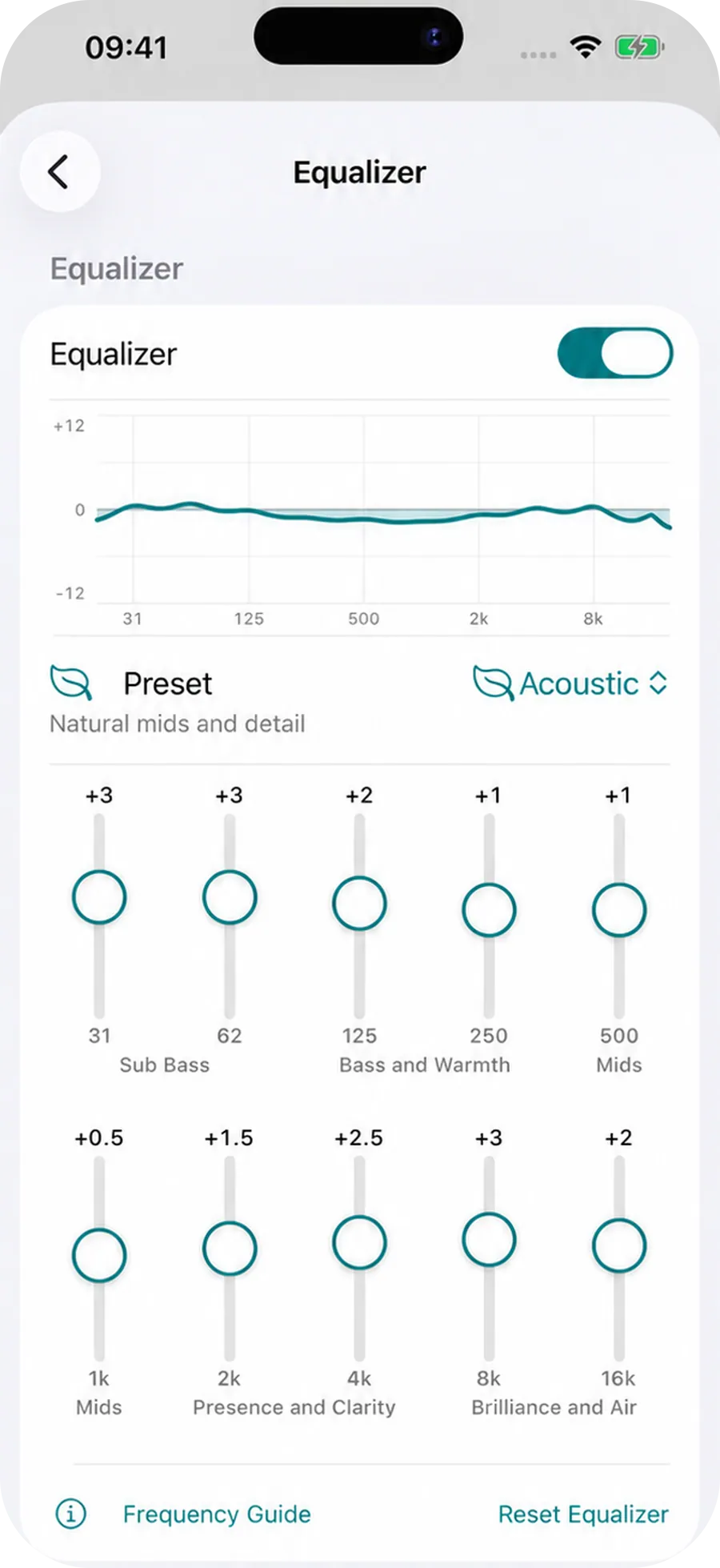
Shape your sound
01
Your own music and videos
Mixavio plays audio and video from your own library. Depending on the support of Apple's frameworks, MP3, AAC, M4A, ALAC, FLAC, WAV, AIFF and CAF as well as MP4, M4V and MOV are intended, among others. Whether a file plays depends on the file, the codec, the device and iOS. There is no guarantee for every conceivable codec combination.
02
Local library
You import files and folders through Apple's file picker and, where offered, videos through the photo picker. Mixavio keeps a local library index for them, with search, favorites and a Favorite Songs area. Metadata and artwork can be overridden locally without changing the original file.
03
Your own servers
Mixavio can connect to media sources that you configure yourself: OpenSubsonic and Navidrome, Jellyfin and WebDAV. Tommsel does not provide these servers, and Mixavio does not host media. You connect the app directly to a server of your choice. The privacy and security terms of that server, its operator and its network apply to it.
04
At home and on the go
For a source you can store a local home endpoint and a remote endpoint. Mixavio runs no VPN of its own. If you use Tailscale, WireGuard or a similar solution, it is provided and managed outside Mixavio.
05
Downloads for offline use
You can download tracks from your servers for offline use. Downloads live in the protected area of the app, can be removed individually and downloaded again when needed.
06
Playlists and Favorite Songs
Create local playlists with a description and your own artwork and mark tracks as Favorite Songs. Everything stays local on your device.
07
An audio version from a video
From suitable videos, Mixavio creates a standalone audio version locally. The result is M4A with AAC, not MP3. The audio version can then be used like a normal song. The original video is kept unless you delete it yourself.
08
Sound
For supported local and compatible audio media, Mixavio offers a 10 band equalizer with presets, preamp, left right balance and optional mono. Certain server streams are deliberately played without this sound processing so that playback stays stable. The equalizer therefore does not apply to every remote stream.
09
Now Playing and audio output
Mixavio uses Apple's system for playback and audio output, including Now Playing, Control Center and the Lock Screen. iOS handles Bluetooth, AirPlay, USB audio and wired outputs. They depend on the device, iOS and accessories. Mixavio does not control hardware connections.
Privacy
Privacy first
Mixavio needs no account, and there is no media backend of Tommsel. Your personal media library is not uploaded automatically. Connections go directly to the servers you set up yourself. Credentials are managed locally or through Apple's secure storage intended for this. At the current state there is no advertising, no tracking of our own and no analytics SDKs.
More technical details
Your data, your choice
You remove media, downloads, favorites, playlists, sources and credentials with the functions of the app. How exactly this works and what stays on external servers is explained on the privacy choices page.
Accessibility
Mixavio is being built with VoiceOver labels, Dynamic Type, light and dark mode and support for reduced motion. The current state, including what has not yet been confirmed on a real iPhone, is on the accessibility page.
Free, Mixavio Pro and purchases
Mixavio is free to download and starts in the Free state. Mixavio Pro is available as Monthly and Yearly (auto-renewing subscriptions) and as Lifetime (a one time purchase). Pro is only activated by a valid entitlement verified by Apple StoreKit. The current price is shown through Apple before purchase, in the App Store or in the app. Apple handles purchases and subscriptions, Restore Purchases is offered through StoreKit, and you manage subscriptions with Apple. When a Pro subscription ends, existing local data is not deleted for that reason alone. Only the further use or creation of certain Pro functions can be limited.
Pricing
Free
Free
- Local media playback and import of local media
- Library with search, favorites and local playlists
- Light, dark, German, English and Spanish
- The scope can change with updates
Mixavio Pro
$1.99 / month, $9.99 / year, $24.99 one time
- Additional functions that Mixavio Pro unlocks; the scope is in the App Store description
- Monthly and Yearly as auto-renewing subscriptions, Lifetime as a one time purchase
- The current price is shown through Apple before purchase
- Restore Purchases through StoreKit
FAQ
No. Mixavio needs no account and no registration.
Depending on the support of Apple's frameworks, MP3, AAC, M4A, ALAC, FLAC, WAV, AIFF and CAF as well as MP4, M4V and MOV, among others. Whether a file plays depends on the file, the codec, the device and iOS.
Navidrome and OpenSubsonic, Jellyfin and WebDAV. You set up the server yourself, Mixavio connects to it directly.
No. Tommsel provides no media and no servers, and Mixavio does not host media.
No. There is no media backend of Tommsel. Connections go directly to your servers.
Mixavio creates an audio version from suitable videos as M4A with AAC. MP3 is not produced for this.
No. Yes for supported local and compatible audio media. Certain server streams deliberately play without sound processing so that playback stays stable.
Mixavio is free to download. Mixavio Pro unlocks additional functions, the exact scope is in the App Store description. The current price is shown through Apple before purchase.
Yes. Mixavio is available on the App Store.


Ready to get started?
Try Mixavio for free today.